
2 min read
Share your Home Value Smart Link
The link you hand homeowners: they type an address, get an estimate, and become a lead attributed to you.
This is a seller-lead magnet. A homeowner opens the link, types nothing but an address, and gets an estimated value straight away. To see the full report they leave an email — and that is the trade.
It is not a passive calculator. A submitted address creates a contact and a lead in your CRM, emails you, and starts a follow-up sequence.
Step by step
Open Settings → Data & tools and find Home Value Smart Link.
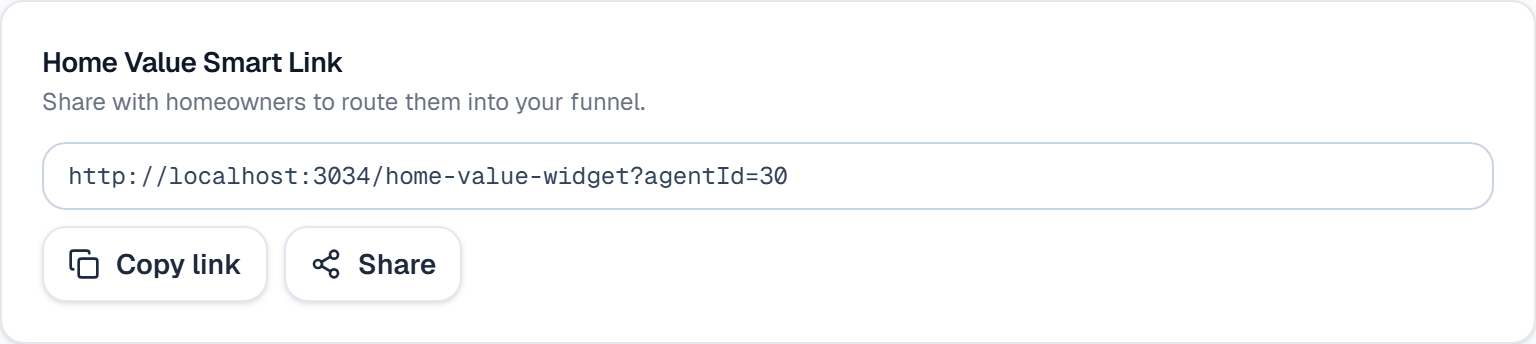
The box shows your full link, including the agentId that attributes the lead to you. Click it to select it, or use Copy link.
Use Share to hand it straight to someone, or paste it anywhere homeowners already are: a “What's my home worth?” button on your site, your Instagram bio, a QR code on a mailer or open-house sign.
Keep the whole URL. The agentId on the end is what makes the lead yours — share the bare page and the lead lands unattributed.
When someone submits, you get an email, a contact and lead appear in your CRM, and an email sequence starts automatically. Nothing else to set up.
What it looks like
Related
Need help with something else? Browse all guides or email support.
