
2 min read
Pick the voice your phone assistant uses
Choose the preset voice and speaking style for the backup phone voice, and its bilingual English + Chinese greeting.
This controls how your phone assistant sounds to callers. It is separate from the AI's writing voice, which lives on the same tab in the AI settings panel.
These settings apply to the backup phone voice, which runs on Twilio speech: the OpenAI and ElevenLabs presets map to Amazon Polly voices. The AI receptionist itself greets unknown callers with "Hello, 您好, Hola" and carries on in English, Chinese or Spanish. To have fixed lines play in your own voice, clone it free in Settings → Account → Digital twin.
Step by step
Open Settings → AI team and find Phone Voice.
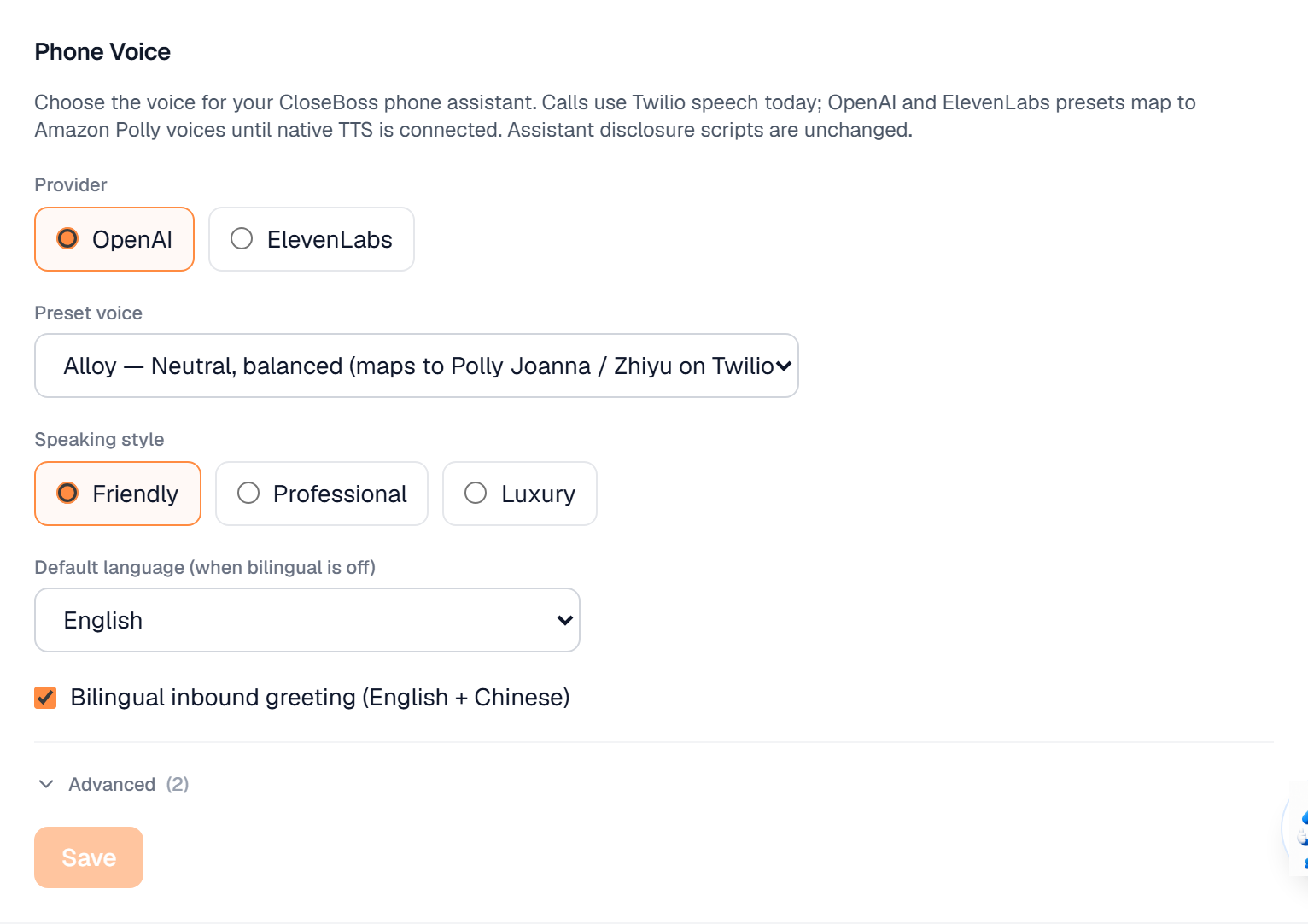
Choose a Provider (OpenAI or ElevenLabs), then a Preset voice. Each preset names the Twilio voice it maps to today — Alloy is the neutral, balanced default.
Choose a Speaking style: Friendly, Professional or Luxury.
Set the Default language used when bilingual mode is off.
Turn on Bilingual inbound greeting if you want the backup voice to greet callers in English and Chinese.
Use Preview to hear the Twilio playback before you save.
Save. Assistant disclosure scripts are unchanged by this setting — callers are always told they are speaking with an assistant.
What it looks like
Related
Need help with something else? Browse all guides or email support.
